
Favorite feature
My favorite feature is Quick AI. I use it for disposable AI conversations when I want to quickly proof-check info or rewrite something. I do not want random one-off queries to pollute the memory built from meaningful conversations, so Quick AI feels like an incognito mode for AI. And of course, Clipboard History is another essential.
Most used Commands, Quicklinks, Scripts and Snippets
I have an OCD-level habit of keeping my bin clean, so I set an alias for Empty Trash as et and clear it instantly. I do not like the native WhatsApp app for Mac, so I keep WhatsApp as a Quicklink and open it only when I need it. I also have some terminal scripts I used to hate running step-by-step, so I automated them with Script Commands. My most-used Snippets are my email addresses and phone number.
Top extensions from the Store
Team Time is the first item in my favorites because I work with teams in three different locations, so I check it before setting up a meeting or sending a message. Typing Practice is my next favorite. I started proper touch typing last year with a goal of 60 WPM, reached 32 WPM, and carried that goal over into this year.
Aliases, hotkeys, and fallback searches
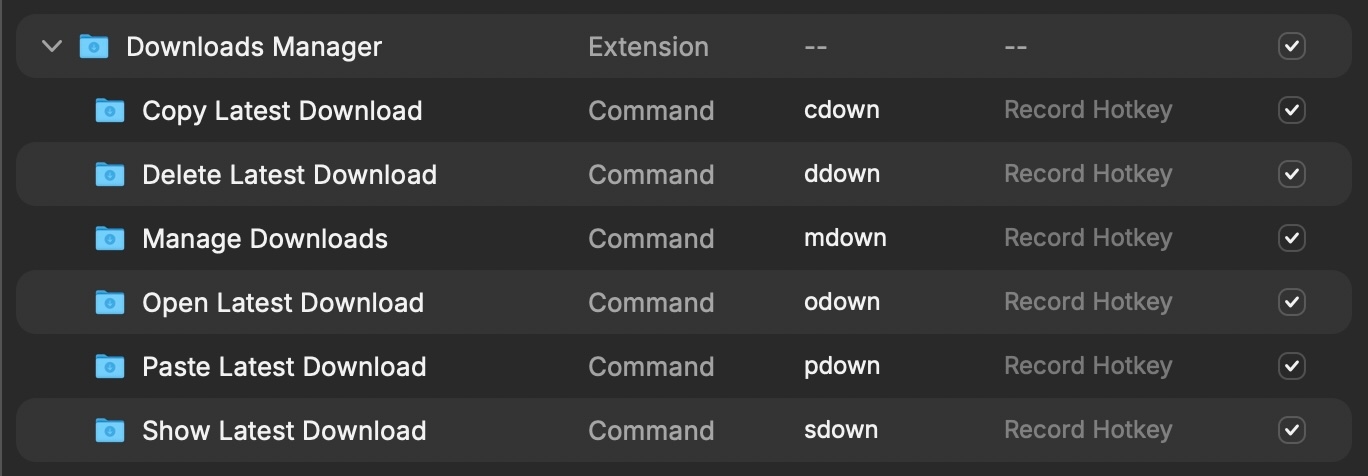
I use a pattern with aliases: first letter of the app + function name. For example, in Downloads Manager I use aliases like cdown, ddown, mdown, odown, pdown, and sdown.
Anything else
Building extensions I can use for myself is fun, and Raycast feels like a mini productivity-focused operating system inside Mac.
More stories
Hear from other folks in the community