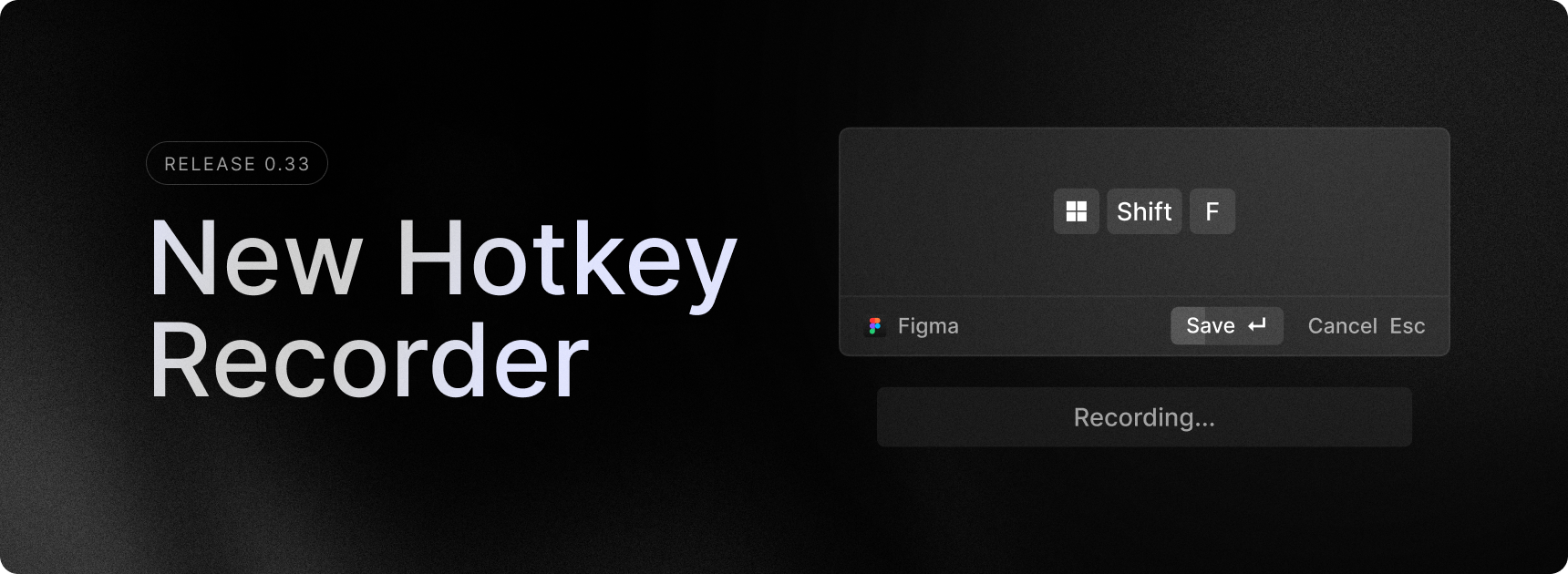
The Keyboard Shortcut infrastructure has been revamped to support more shortcut types and multiple keyboard layouts. The User Interface for setting shortcuts has also been updated to allow for greater interaction. You can now differentiate between left, right, or any modifier; change the targeted keys to make them layout-dependent or independent; and support double-tap modifier shortcuts.
Please note that we are migrating your hotkey data into a new data structure. While we have tried to cover all edge cases, there is a possibility that some hotkey information may be lost. We are also aware some users are experiencing issues with software that creates virtual key presses or modifies keyboard state. This update doesn’t resolve those problems, but we are investigating them.
✨ New
- Clipboard History: Added a new
Copy Formatted JSONaction. - Clipboard History: Added a new
Delete Entries…action with further options to delete recent entries (Last 5 Minutes, Last 15 Minutes, Last 30 Minutes, Last Hour, Last 24 Hours) - File Search: Added a new
Open in Terminalaction. - General: All list-based components now support number hotkeys to trigger the nth item (eg.
CTRL + 3will trigger the 3rd item). This works in all list views as well as all menus. - Settings: New UI for assigning Hotkeys.
- Settings: Support for double-tap modifier shortcuts.
- Settings: Support for specific modifier selection (any, left, or right)
- Settings: Support for selecting a key equivalent or layout independent key.
- Store: Filter extensions by category.
- System: Show value of Increase/Decrease Volume commands in notifications.
💎 Improvements
- Clipboard History: Improved performance for large text entries.
- File Search: Improved performance for large text files.
- Root Search: More relevant suggested commands in Root Search based on usage.
- Settings: The hotkey view now supports more filters (e.g. enabled, disabled).
🐞 Fixes
- Applications: fixed an issue where sometimes applications are missing and added better diagnostic logs if it’s still there.
- Clipboard History: Fixed behavior of pasting from Clipboard History, the last pasted content now will correctly remain in the OS clipboard, ready to be pasted again.
- Clipboard History: Fixed a titling issue when copying very large single-line text.
- Clipboard History: Reduced the numbers of errors in details panel.
- Clipboard History: Fixed a few regressions around being able to preview images/screenshots.
- Root Search: Fixed an issue where history would be enabled with an arrow up key repeat.
- Root Search: Removed duplicate
Configure Extensionaction on file items. - Root Search: Removed some duplicate actions on Quicklink items.
- Root Search: Fixed an issue when Root Search history wasn’t working with
ArrowUpfrom compact mode. - Store: Fixed wrong icon on
Open Commandaction.
