# Image Shield for Raycast
URL: https://www.raycast.com/tuki0918/image-shield
> Protect images with advanced encryption and fragmentation.
- Install: raycast://extensions/tuki0918/image-shield
- Author: [Y.Yamamoto](https://www.raycast.com/tuki0918)
- Installs: 90
- Categories: Security, Media
- Updated: 2026-09-11
- Source: https://github.com/raycast/extensions/tree/3c654737b0d566d3103fcdf72221a9f34664bdf2/extensions/image-shield/
## Commands
- **Encrypt Images**: Encrypt images into secure fragments
- **Decrypt Images**: Restore original images from the fragments
## README

Image Shield
This Raycast extension provides functionality for image encryption and decryption, helping you protect confidential images by transforming them into encrypted fragments using AES-256 encryption.
#### Commands
- `Encrypt Images` ... Encrypt images into secure fragments
- `Decrypt Images` ... Restore original images from the fragments
#### Features
This extension provides two main security modes for image protection:
##### 🔐 Shuffle + Encrypt Mode (Default)
- **Fragmentation**: Pixels are shuffled across multiple images to help safeguard the original content from unauthorized viewing.
- **Password Protection**: A password is required for image encryption and decryption
##### 🔀 Shuffle Only Mode
- **Fragmentation**: Pixels are shuffled across multiple images to help safeguard the original content from unauthorized viewing
- **No Password Required**: No password is required for image encryption and decryption
#### Usage
##### Quick Call
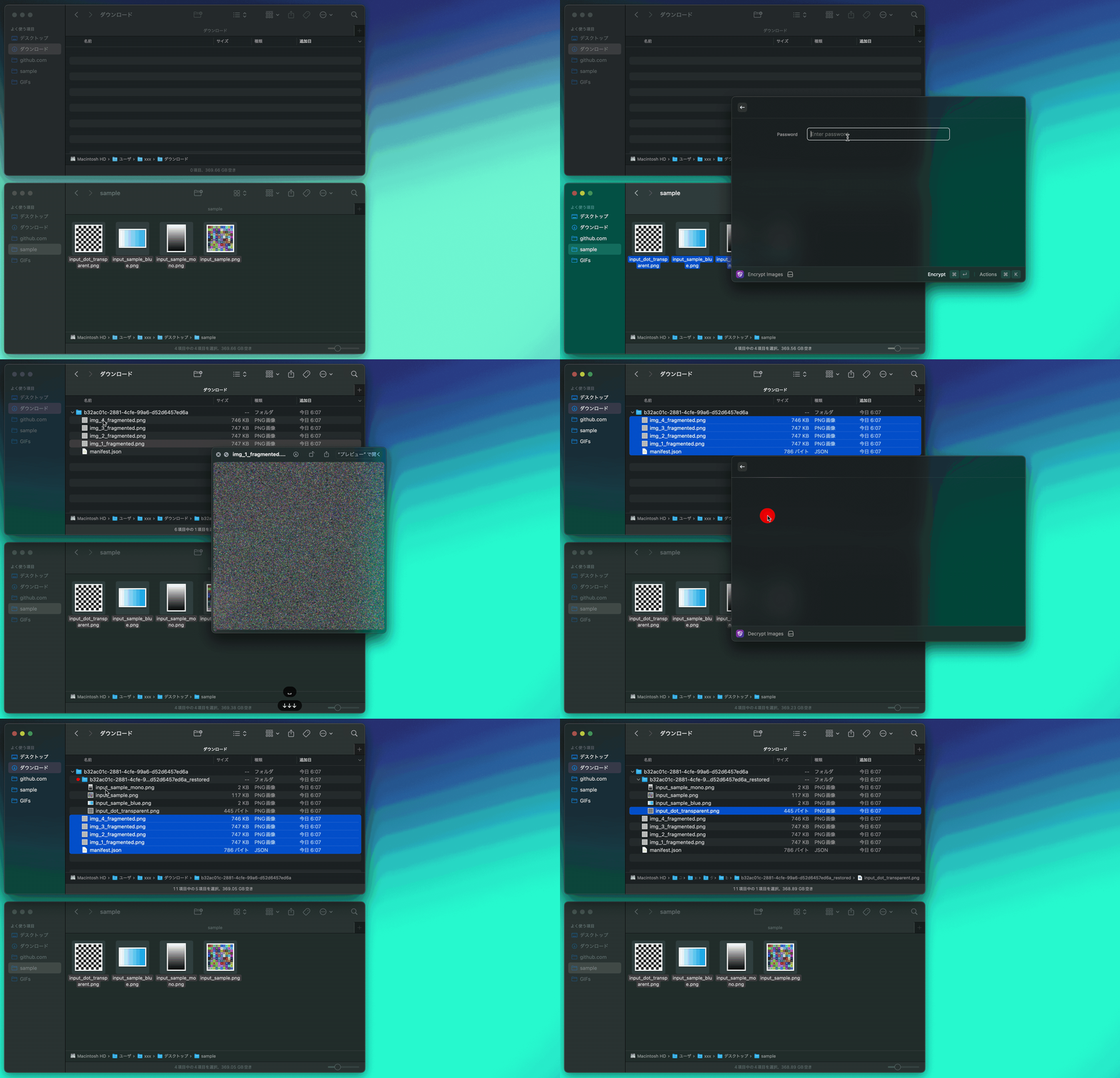
Default Call
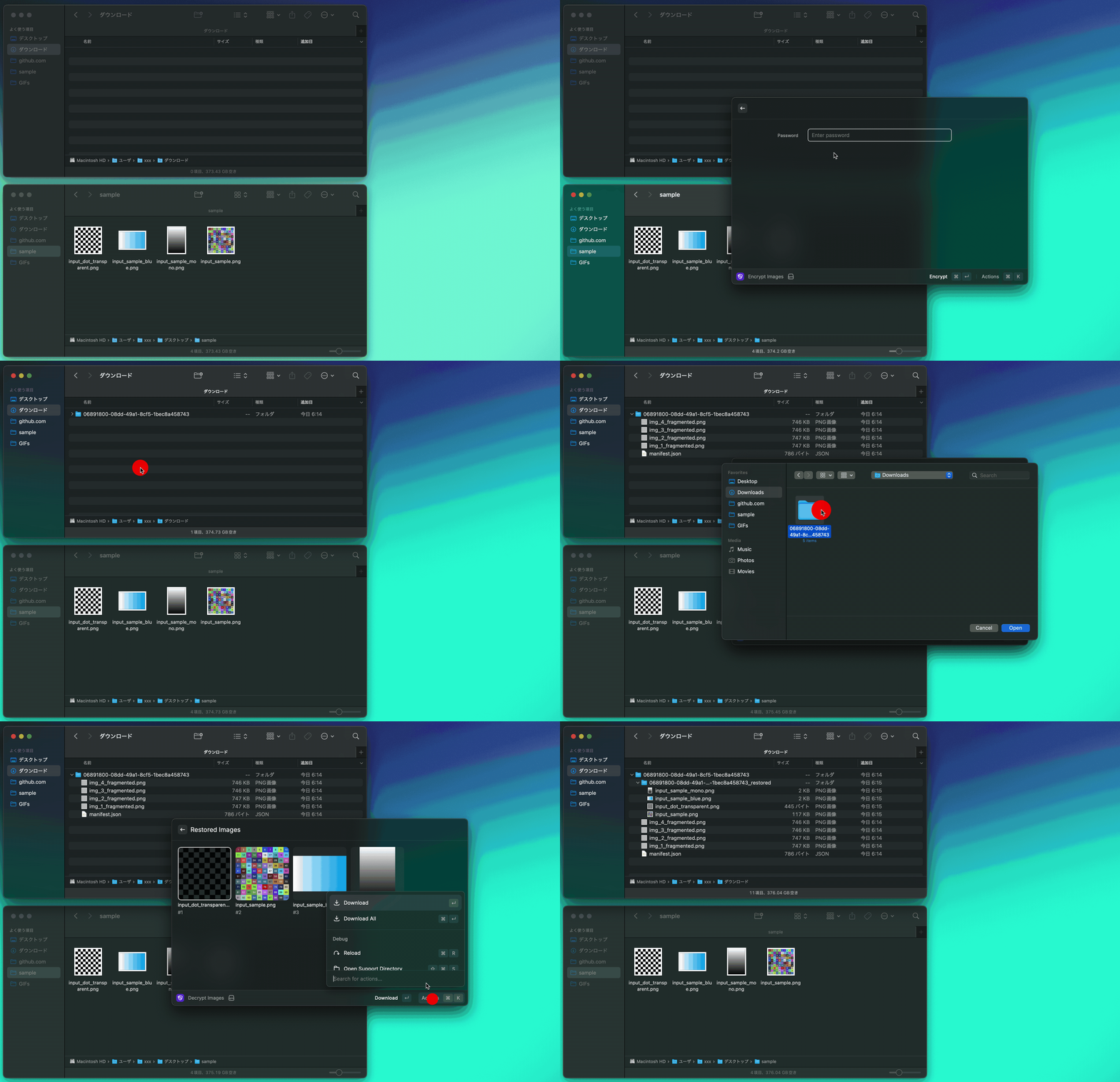
#### Preferences
You can customize the extension behavior through the following preferences:
##### Image Protection
- **Type**: Checkbox
- **Default**: `Enabled`
- **Description**: If disabled, images are only shuffled without password protection. If enabled, images require password for decryption.
##### Block Size
- **Type**: Dropdown (1, 2, 3, 4, 8, 16, 32, 64)
- **Default**: `4`
- **Description**: Fragment the image into multiple blocks and shuffle them. Larger block sizes use less memory but provide less fragmentation.
##### File Prefix
- **Type**: Text field
- **Default**: `img`
- **Description**: Set the prefix for encrypted filename.
##### File Name
- **Type**: Checkbox
- **Default**: `Enabled`
- **Description**: Restore the original file name when decrypting.
#### Troubleshooting
> Error: Worker terminated due to reaching memory limit: JS heap out of memory
- Please change the block size to a larger value in the settings.
#### Dependencies
- [image-shield](https://github.com/tuki0918/image-shield)
#### Contributing
Contributions are welcome! Feel free to open issues or submit pull requests to improve the extension.