# Obsidian Smart Capture for Raycast
URL: https://www.raycast.com/millin_gabani/obsidian-smart-capture
> Capture selected text, browser links and notes into Obsidian, append to notes or add tasks, using the Advanced URI plugin.
- Install: raycast://extensions/millin_gabani/obsidian-smart-capture
- Author: [Millin Gabani](https://www.raycast.com/millin_gabani)
- Installs: 16,817
- Platforms: macOS
- Categories: Productivity
- Updated: 2026-11-17
- Source: https://github.com/raycast/extensions/tree/459326f4f557692a79246dba2d013746f56d724b/extensions/obsidian-smart-capture/
## Commands
- **Obsidian Smart Capture**: Capture whats on your screen into obsidian
## README
### Overview
Obsidian Smart Capture is a context aware tool to quickly capture anything on your Mac with minimal effort.
The notes are captured in [Obsidian](https://obsidian.md). Obsidian is a community driven note taking application that stores notes locally on your machine in markdown format.
The quick capture tool is built using [Raycast](https://raycast.com). Raycast is a powerful MacOS launcher (similar to [MacOS spotlight](https://support.apple.com/en-ca/guide/mac-help/mchlp1008/mac)). Raycast is also a community driven product like Obsidian.
I have combined two powerful community driven products to build an Open source tool that allows you to capture notes with ease.
_Obsidian smart capture was inspired by [Lazy](https://lazy.so)_
### Getting Started
#### Obsidian
_Skip to next section if you are familiar with Obsidian_
1. Download [Obsidian](https://obsidian.md)
2. Create a new vault
#### Obsidian Advanced URI
_Skip to next section if you have AdvancedURI pulgin installed and enabled_
1. Go to Obsidian preferences > Community Plugins and Turn on Community Plugins
 2. Click Browse and search for "Advanced URI" plugin
 3. Install and Enable "AdvancedURI" plugin
#### Raycast
1. Download and Install [Raycast](https://www.raycast.com)
#### Obsidian Smart Capture
1. Open Raycast Preferences and click on Extensions Tab
2. Install a new extension from store
 3. Search for "Smart Obsidian Capture" and install the extension
 4. Set a hot key to open Obsidian Smart Capture. Use `⌘ L` or a custom hotkey
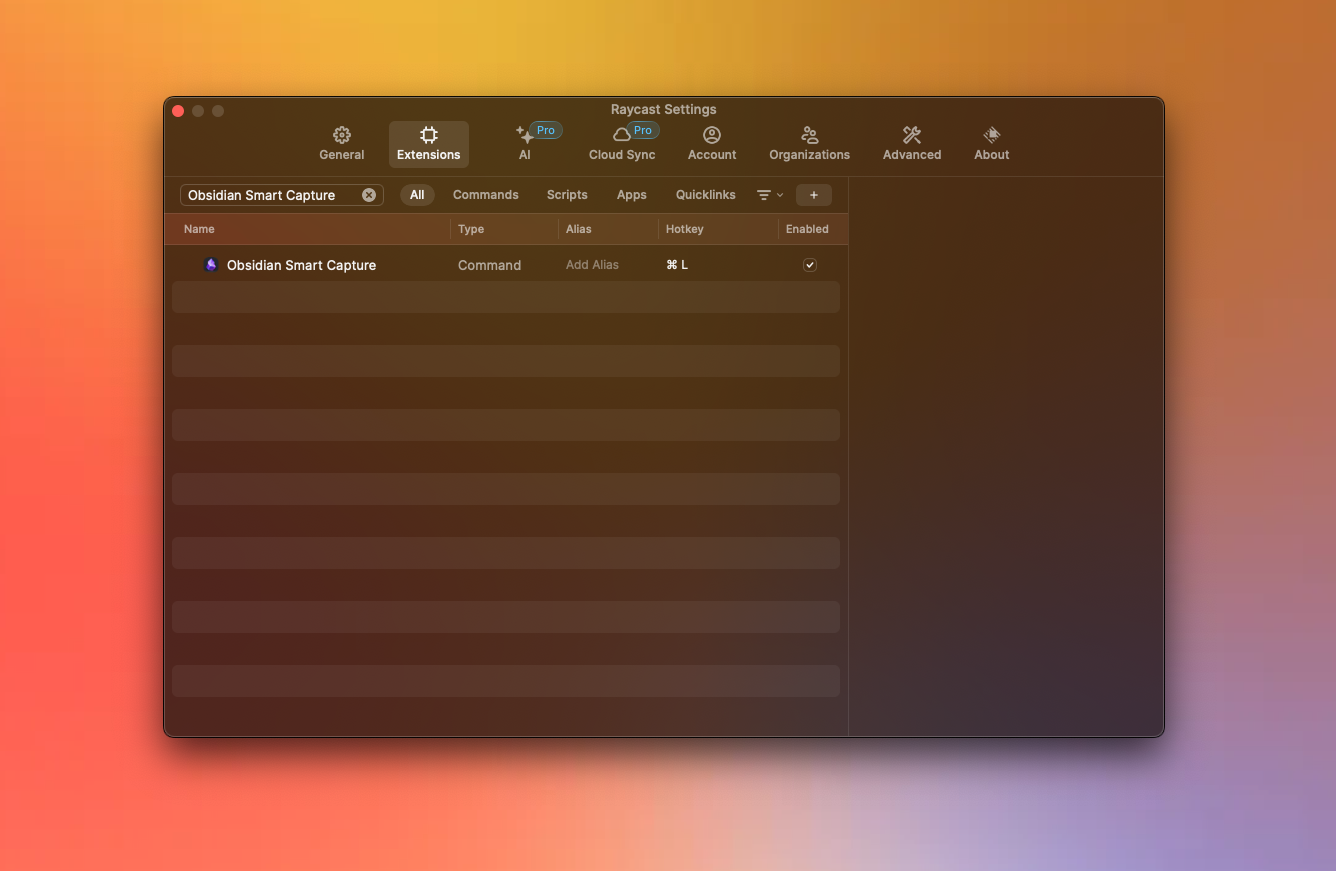 You are all set up 🥳!
### Usage
##### Context Awareness
Obsidian Smart Capture currently captures link of the active browser tab (Safari, Chrome, Arc, Brave, Firefox, Edge & Opera) and highlighted text if any.
Try selecting some text on Chrome and Safari and press `⌘ L` (or your custom hotkey) to open Obsidian Smart Capture. Press `⌘ ⏎` to capture it
You aren't just limited to browser window, you can capture any selected text. Give it a try!
##### Obsidian Settings
The popup will remember the vault and path you used to capture the last note and it will open with same settings every trigger
### Future
I originally built this for personal use but after positive response on Reddit, I open sourced and released it everyone to use
The goal is to add more context awareness to Obsidian Smart Capture and make the best quick capture tool for Obsidian.
You can [make a feature request here](https://github.com/raycast/extensions/issues/new?title=%5BObsidian+Smart+Capture%5D+...&template=extension_feature_request.yml&labels=extension%2Cfeature%2Brequest&extension-url=https%3A%2F%2Fwww.raycast.com%2Fmillin_gabani%2Fobsidian-smart-capture&body=%0A%3C%21--%0APlease+update+the+title+above+to+consisely+describe+the+issue%0A--%3E%0A%0A%23%23%23+Extension%0A%0A%23%7Brepository_url%28extension.latest_version%29%7D%0A%0A%23%23%23+Description%0A%0A%3C%21--%0ADescribe+the+feature+and+the+current+behavior%2Fstate.%0A--%3E%0A%0A%23%23%23+Who+will+benefit+from+this+feature%3F%0A%0A%23%23%23+Anything+else%3F%0A%0A%3C%21--%0ALinks%3F+References%3F+Anything+that+will+give+us+more+context%21%0ATip%3A+You+can+attach+images+or+log+files+by+clicking+this+area+to+highlight+it+and+then+dragging+files+in.%0A--%3E%0A%0A)
[Raycast Store link](https://www.raycast.com/millin_gabani/obsidian-smart-capture)
If you are programmer and would like to contribute to Obsidian Smart Capture. Please check out the source and submit pull request: [View Source](https://github.com/trillhause/obsidian-smart-capture)
tags: #resource